Groups
/
AI Basics
/
navigation.content
Foundation Series Supplemental Resources
January 12, 2026 · Last updated on March 24, 2026

Using Parameters to Prompt LLMs

Using Parameters to Prompt LLMs
# Parameters
# Large Language Models

What is the Temperature and TopP parameters?

Using Parameters to Prompt LLMs
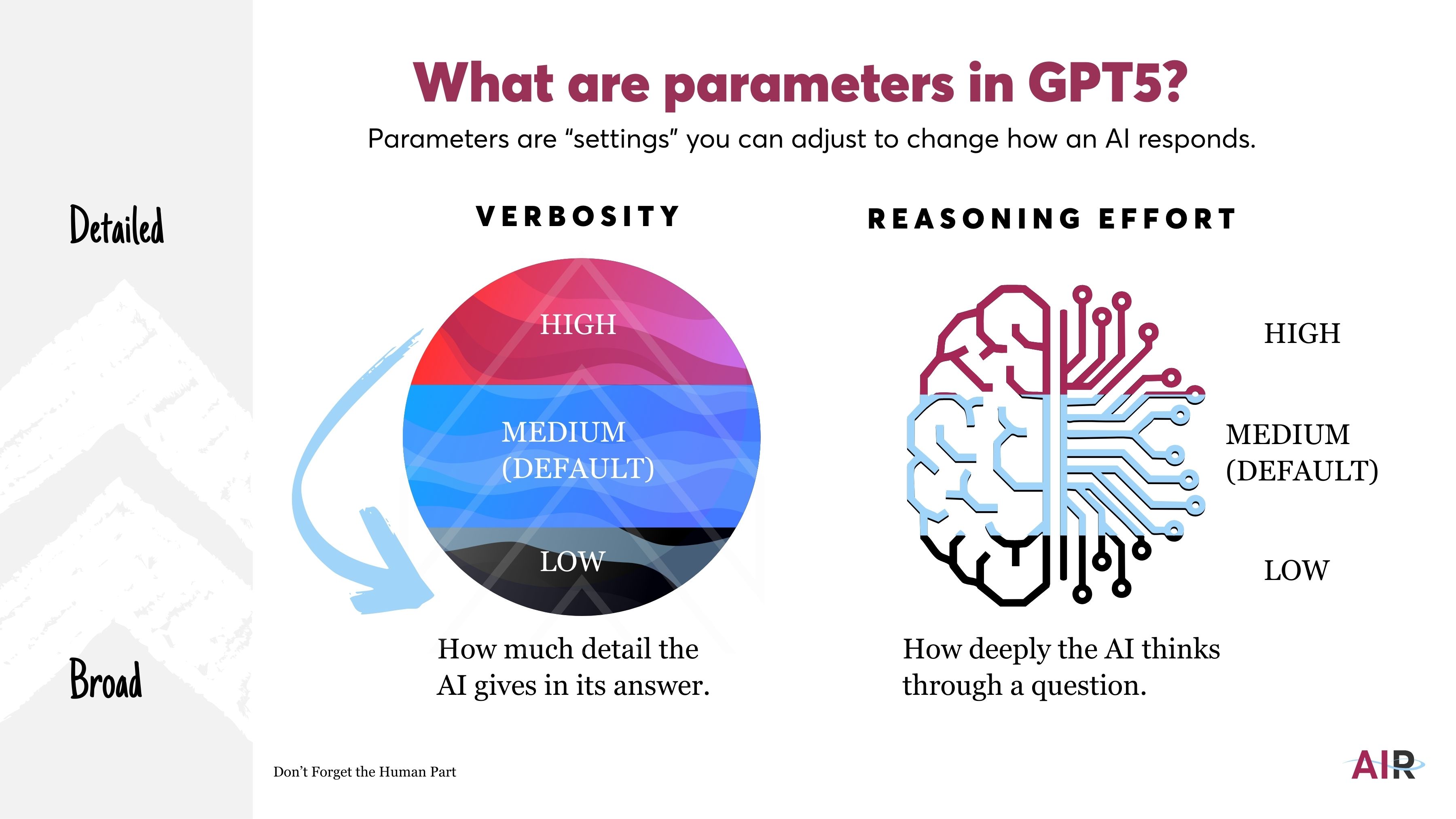
Parameters are the "settings" you can adjust to change how an AI responds. While they aren't required (natural language instructions often work just fine), parameters become useful when you need predictable behavior, tighter control over randomness, or consistency across repeated runs. Instead of relying on interpretation, they directly shape how the model selects its next words. Define your parameter values in the "T: Tone/ style/ format" section of your DIRECT prompt. Each parameter has a different range of values, shown in the diagrams below:


With GPT5's release in August 2025, 2 new parameters were defined: Verbosity and Reasoning Effort.


Comments (0)
Popular
avatar

Sign in or Join the community
Don't Forget The Human Part!
LearnAIR
Create an account
Don't Forget The Human Part!
Table Of Contents
Dive in

Related

Resource
LLM Use Case Anatomy
Feb 12th, 2026 Views 55
Resource
2026 Model Capability Comparison
Feb 3rd, 2026 Views 25
Video
DIRECT Prompting Methodology
Feb 9th, 2026 Views 35
Video
2026 Model Comparison Video
Feb 4th, 2026 Views 49
Resource
LLM Use Case Anatomy
Feb 12th, 2026 Views 55
Video
DIRECT Prompting Methodology
Feb 9th, 2026 Views 35
Video
2026 Model Comparison Video
Feb 4th, 2026 Views 49
Resource
2026 Model Capability Comparison
Feb 3rd, 2026 Views 25
© 2026 LearnAIR
Terms of Service