Video creation is entering the AI Era: one where you don’t need a camera crew, a studio, or weeks of editing to bring an idea to life. With Sora, you can generate cinematic, story-driven videos from a simple prompt, and refine them with clear creative direction. This resource walks through the essentials of creating strong videos in Sora, with practical techniques that help you move from concept to polished result faster and with more creative control.
How to create a video using Sora
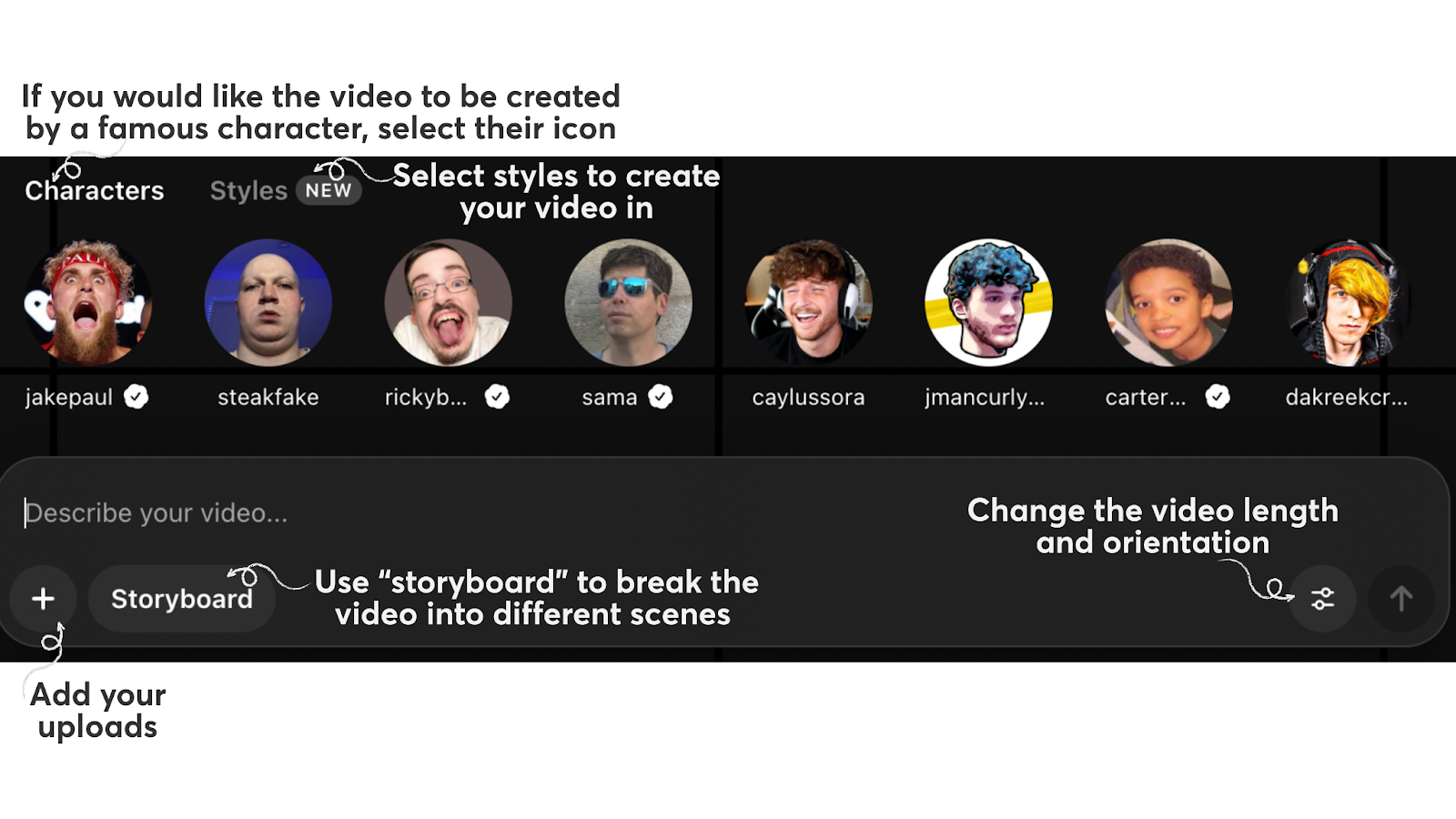
1. Go to sora.chatgpt.com
2. Choose your video setup (optional) & type your DIRECT prompt
Prompting Best Practices
1. If you’re looking for something specific, start by interacting with ChatGPT, giving it a detailed “video production persona.” This allows you to refine your prompt before putting it in Sora.
Example: “Act as a senior video producer who specializes in short-form educational explainers. Your job is to help me refine my storyboard, script tone, and pacing before I move this into Sora. Please analyze my idea and suggest improvements that will make the final video more visually compelling: [paste in idea]”
2. Define constraints explicitly (“no on-screen text,” “keep character consistent across the shot”).
Example: “A single continuous shot of a child releasing a paper lantern on a quiet beach at dusk. The camera stays behind the child at waist height, no cuts, no zooms. Keep the lantern’s color consistent throughout the shot. No on-screen text."
3. Reference real-world places or directors, and be creative with your tweaks and added details! In the world of AI, your imagination is your only constraint.
Example: “Drone view of waves crashing against the rugged cliffs along Big Sur’s Garay point beach. The crashing blue waters create white-tipped waves, while the golden light of the setting sun illuminates the rocky shore. A small island with a lighthouse sits in the distance, and green shrubbery covers the cliff’s edge. The steep drop from the road down to the beach is a dramatic feat, with the cliff’s edges jutting out over the sea. This is a view that captures the raw beauty of the coast and the rugged landscape of the Pacific Coast Highway.”
Prompt Source: https://openai.com/index/sora/ 4. For specific tweaks, clearly state the changes using "Edits/adjustments."
Example: "Edits/adjustments:
-remove the AIR logo
-make the title white only"
Technical Details
File Format
- Sora exports videos in standard MP4 format.
- MP4 is widely compatible and optimized for streaming, making it the default for most editing and publishing workflows.
- If you need another format for post-production, convert after export using your editing tool.
Duration & Continuity
- You can select 10 or 15 seconds as the video length.
- If continuity matters, reinforce constraints: “Single shot, no transitions, no temporal jumps.”