

Everboarding Content
October 14, 2026
Claude Design: Token efficiency best practices

# Claude design
# Best practice
# Token efficiency
# Context windows
Four practical ways to reduce unnecessary AI usage, manage context, and streamline your design workflow.
Claude Design can turn natural-language instructions into presentations, one-pagers, and other visual assets. However, complex projects and repeated revisions can quickly run you into your usage limit.
Understanding how Claude processes information, and choosing efficient editing methods, can help you create more with fewer iterations.
1. Understand context windows and usage limits
When working in Claude Design, there are two important limits to understand:
- Context window: How much information Claude can work with at once, including your current request, relevant conversation history, and applicable design instructions. Its capacity is measured in tokens.
- Usage limits: How much you can use Claude within a given period, depending on your plan and the amount and complexity of work performed.
The key distinction: Your context window is a capacity limit. Your usage limit is a consumption limit. If you hit your usage limit, you will not be able to continue until the limit resets or if your organization purchases more usage credits.
Tokens are the units of information Claude processes. Longer conversations and complex generations may require more tokens, contributing to overall usage.
Understanding these limits helps you recognize when to manage conversation context or adjust how you work.
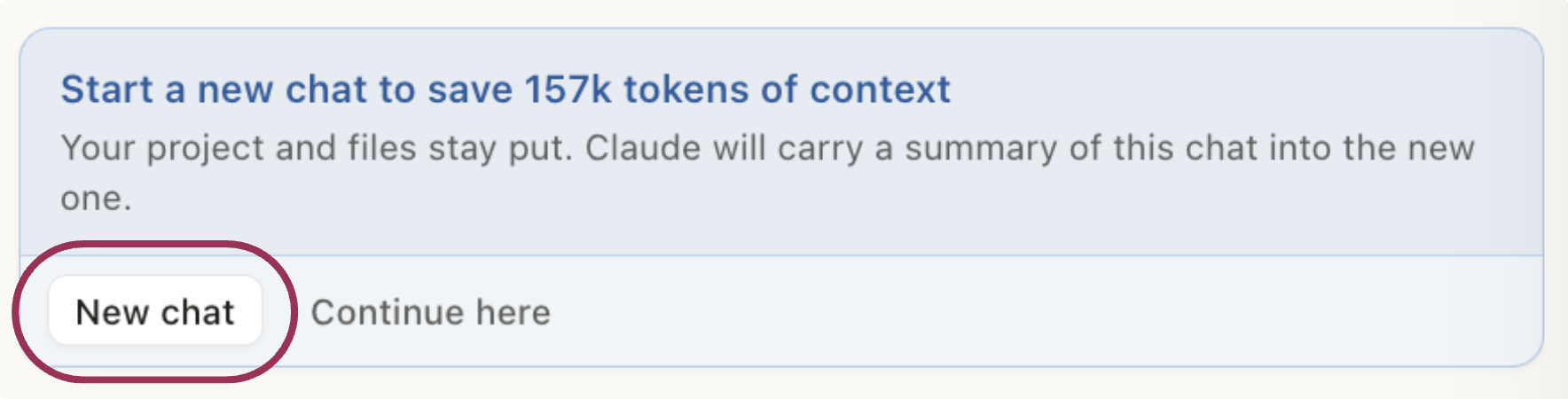
Best practice: Start a new chat when prompted to do so. Claude summarizes your conversation and carries forward key decisions, reducing the amount of conversation history processed in subsequent requests. Only continue in the original chat when you need Claude to reference specific details or instructions that a summary might miss.
2. Use DIRECT™ to give clear instructions before generating
One of the simplest ways to reduce unnecessary iterations is to provide complete instructions upfront.
LearnAIR's DIRECT™ prompting framework helps you communicate exactly what Claude needs to create:
DIRECT™ | What to specify |
|---|---|
D · Doing | What content should Claude create? |
I · Information | What sources, text, and assets should it use? |
R · Role | What expertise should guide the design? |
E · End goal | What should the finished deliverable accomplish? |
C · Context | Who is the intended audience? |
T · Tone, style, format | What visual style, output format (PDF, PowerPoint, etc.), dimensions, and length are required? |
Example prompt:
"Act as an experienced enterprise presentation designer. Create a six-slide PowerPoint introducing our three AI training programs to HR and learning leaders. Use the attached approved product descriptions and our established design system. Help leaders understand the differences between programs and identify the right fit. Use a professional, approachable tone and a 16:9 layout. Include a title slide, one slide per program, a comparison, and a closing slide."
Why it saves tokens: Clear direction reduces ambiguity and unnecessary back-and-forth. Specifying the format, length, and content structure upfront is particularly valuable because changing these later can require substantial redesign.
Best practice: Use DIRECT™ before generating your first draft, especially for complex deliverables. A well-structured initial prompt can reduce corrective revisions and the model usage associated with them.
3. Choose the most efficient editing method
Claude Design offers three editing approaches. Each serves a different purpose.
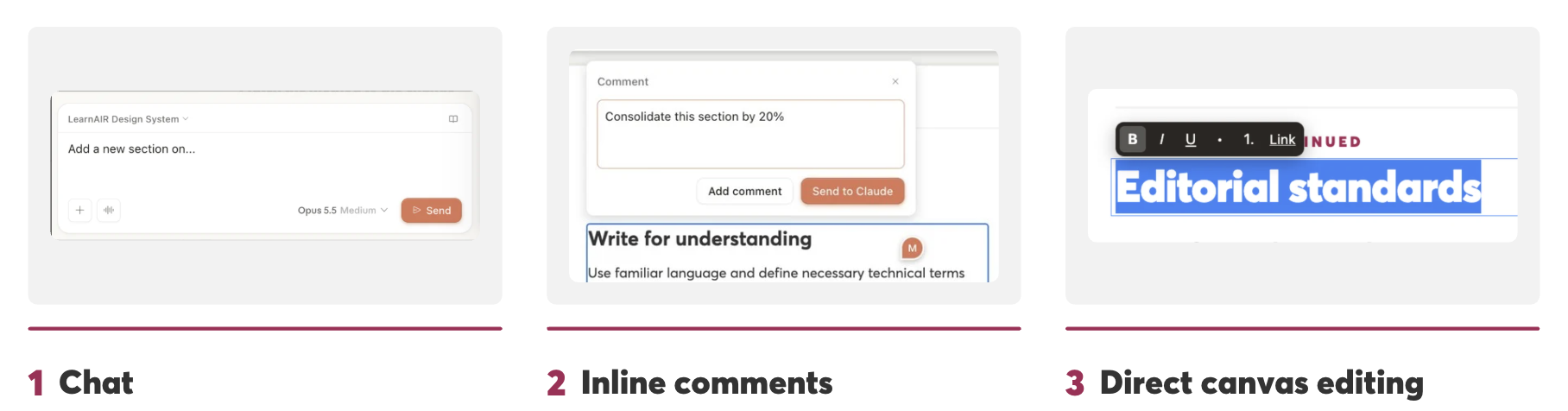
Editing method | Best for | Efficiency benefit |
|---|---|---|
Chat | Major structural or content changes | Supports substantial revisions |
Inline comments | Changes to specific elements | Keeps feedback targeted |
Direct canvas editing | Small text and formatting corrections | Avoids additional AI generations |
If a heading contains a typo, edit it directly. If a paragraph needs shortening, use an inline comment. If the entire document requires restructuring, use chat.
Why it saves tokens: AI-generated revisions require model processing. Direct canvas edits can address simple problems without another generation, while targeted comments help limit the scope of requested changes.
Best practice: Make the smallest effective change rather than regenerating an entire design for minor corrections.
4. Match the model and tool to the task
Different tasks require different levels of model processing.
Where Claude Design offers model selection, consider using a more capable model for complex layout generation and a lighter model for straightforward changes, provided the lighter model can complete the task reliably.
Similarly, avoid repeatedly asking Claude to generate visuals that are better handled by specialized tools.
For example:
- Complex layouts: Use a model capable of handling detailed design requirements.
- Simple corrections: Use direct canvas editing or a lighter model where appropriate.
- Photorealistic images: Generate the image using ChatGPT or another image-generation tool, then return it to Claude Design.
Why it improves efficiency: Selecting the appropriate model and tool can reduce unnecessary processing, failed attempts, and repeated revisions. A lighter model is not automatically more efficient if its output requires substantial correction.
Best practice: Match the tool to the complexity of the task. Evaluate efficiency by the quality of the result and the number of revisions required.
Final takeaway
Efficient Claude Design workflows start with clear instructions, focused context, and intentional editing. The goal is to reduce unnecessary generations while preserving design quality.
Comments (0)
Popular

Dive in
Related
Resource
Claude Projects: Stop Re-Teaching Claude Every Time You Open a Chat
By Welza Soncio • Aug 26th, 2026 • Views 11
Resource
Claude Projects: Stop Re-Teaching Claude Every Time You Open a Chat
By Welza Soncio • Aug 26th, 2026 • Views 11