

Copilot Features & Capabilities
July 20, 2026 · Last updated on September 17, 2026
Text to Voice in Copilot

# How to guide
# Copilot
# Text to voice
# Features and capabilities
The ins-and-outs of using voice-to-voice in ChatGPT
Text to voice turns written text into expressive, human-like speech and gives you the ability to hear a written output.
How to use text to voice
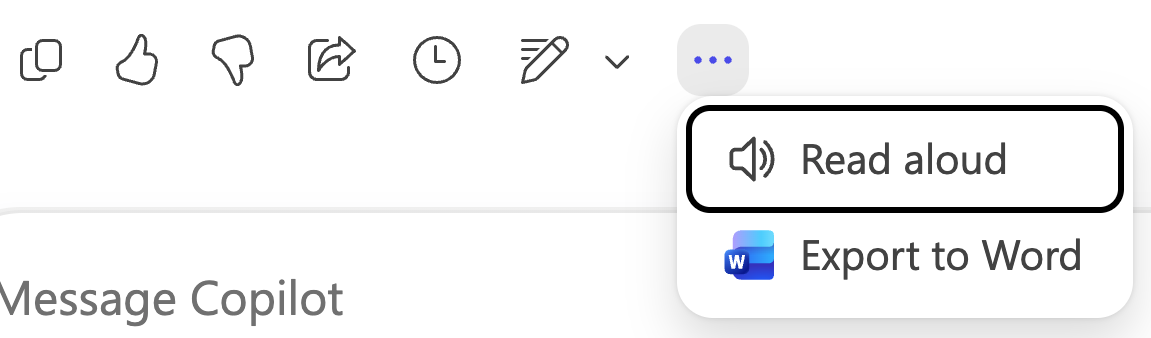
To activate text to voice, select the "…" after the response you want to hear aloud. Then choose “read aloud.”
Technical Details
Voice Selection
Microsoft 365 Copilot currently offers one voice for voice interactions. Additional voice options are planned for future releases.
Mobile App
Voice features are available in the Microsoft 365 Copilot app on iOS and Android, as well as on the web and desktop applications (Windows and Mac).
Comments (0)
Popular

Dive in