

ChatGPT Features & Capabilities
January 14, 2026
Apps in ChatGPT

# ChatGPT
# Apps
# Connectors
How to leverage ChatGPT apps (formerly called connectors) in order to seamlessly integrate your digital teammate into your work
ChatGPT connectors allow the model to securely connect to external tools and services, like Google Drive, Slack, or Canva. This allows ChatGPT to retrieve, reference, and act on information that lives outside the chat itself. For example, connecting your ChatGPT to Canva allows it to generate beautiful powerpoints, or connecting to Clickup gives it the ability to know what you are working on in real time. Enabling connectors allows ChatGPT to move beyond general knowledge and work directly with your real systems and data.
How to use Connectors
To enable connectors, click on your profile picture, go to “Settings,” and then click on “Apps.”
This is where you can connect apps by logging into your account with that app, or add additional app connections. Each week, OpenAI is continually adding more apps to connect with, so check in frequently to ensure you are connected to the most updated suite of apps.
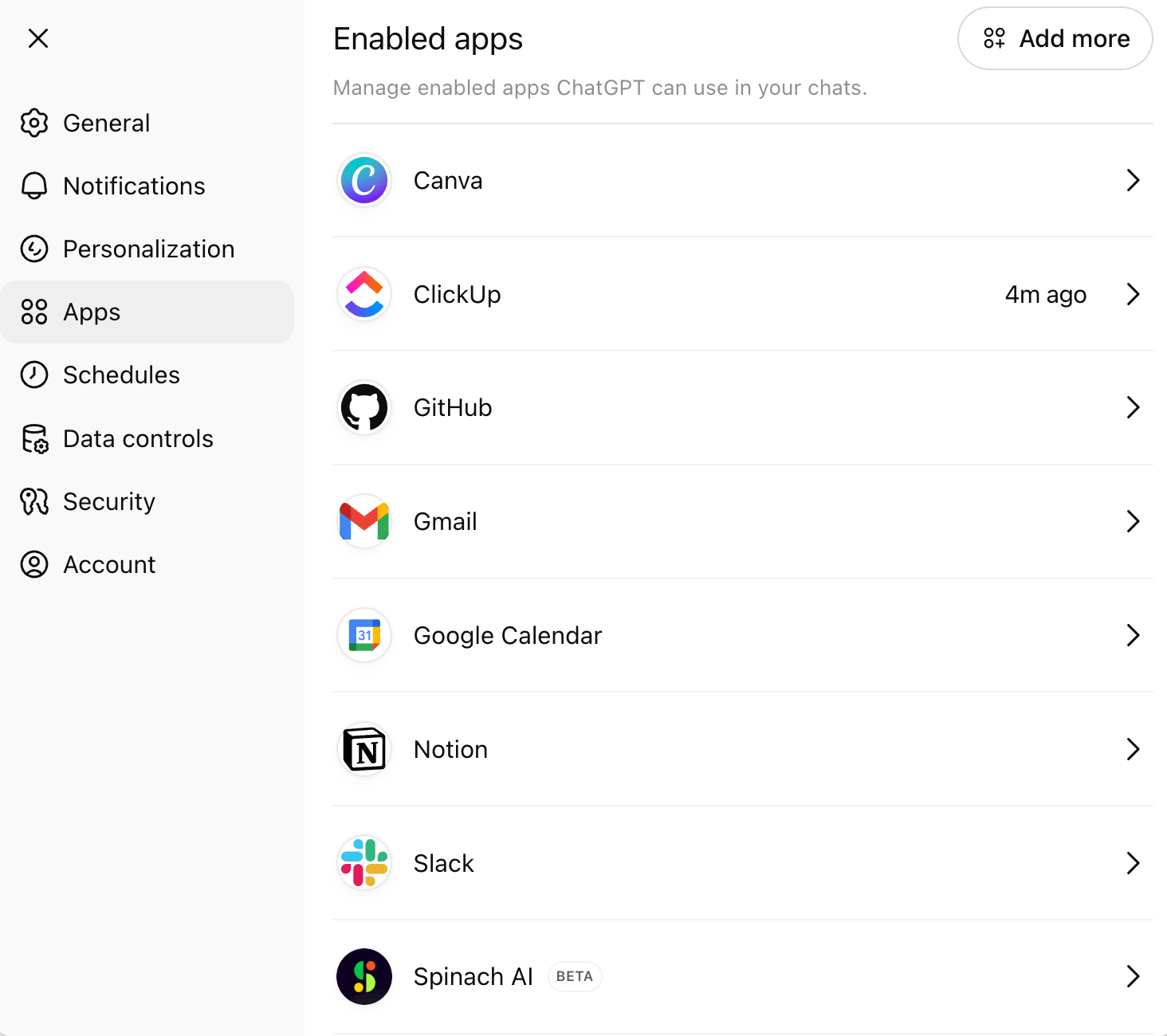
You can also connect to “company knowledge,” which features the entire suite of your connected apps. Company knowledge lets ChatGPT use your organization’s context from apps to give answers specific to your company and projects, with clear citations back to the original sources.

Prompting Best Practices with Connectors
Connecting Apps
To ensure apps are enabled in your search, toggle on the apps you need, or Company Knowledge, on using the “+", then selecting the apps (see below).
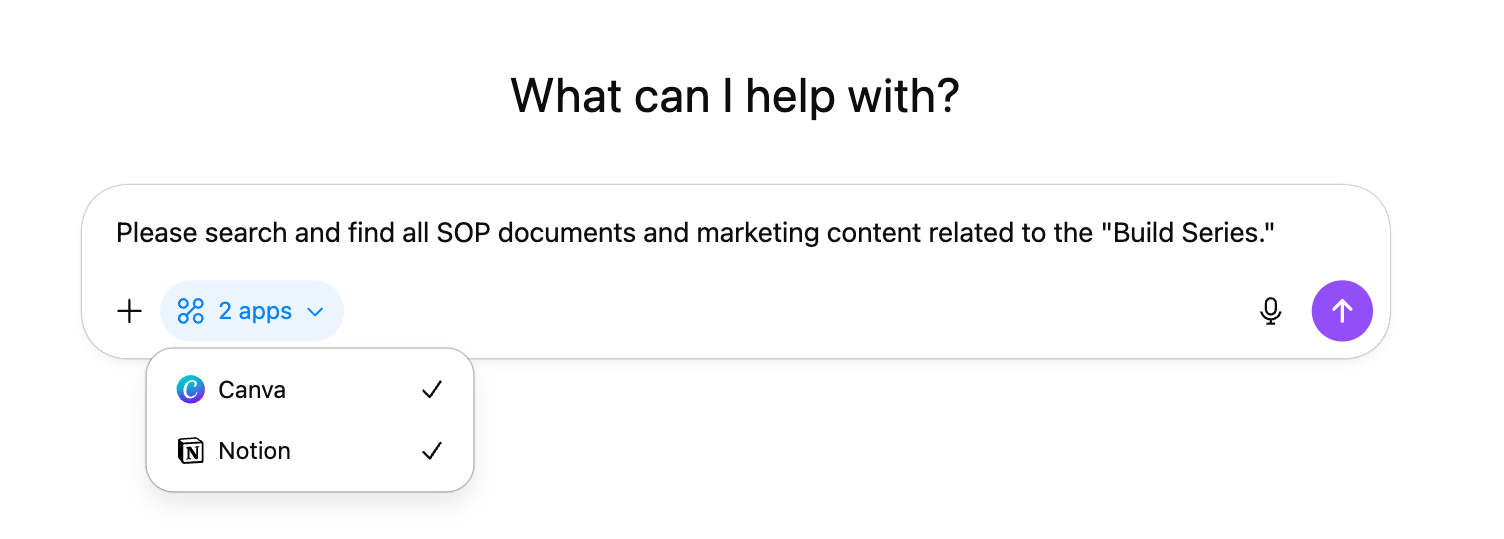
You can also connect apps by telling ChatGPT to utilize them in the “Information” section of your DIRECT prompt.
Example (I): Use the “Company Knowledge” and connectors that I will select. Prioritize items created or updated within the 7-day window and include prior context ONLY when necessary to interpret a decision or action. Ensure the content you’re citing is owned by me or explicitly has my name or clear evidence of my involvement. Rely solely on material intended for broad internal use, nothing sensitive or restricted, such as contracts or confidential strategic documents.
Specificity
Use DIRECT as a guiding prompting framework. Be specific about what sources of information you want to pull from, the dates from which that information is relevant, and ownership constraints on the material. The clearer your information constraints, the more reliable the output, and the fewer corrective refinements required.
Technical Details
Deep Research
You can connect connectors while using deep research! This is helpful for pulling in live context while the model performs deep synthesis and analysis. To enable this, first press the “+” button, select “Deep Research,” then add your desired “Sources.”
Projects
Connectors can be accessed from within Projects.
CustomGPTs
Connectors cannot be accessed from within CustomGPTs.
Comments (0)
Popular

Table Of Contents
Popular
Dive in