

ChatGPT Features & Capabilities
January 14, 2026
CustomGPTs AKA your Digital Teammates!

# ChatGPT
# Digital Employee
# CustomGPTs
The ins-and-outs of creating and using a CustomGPT
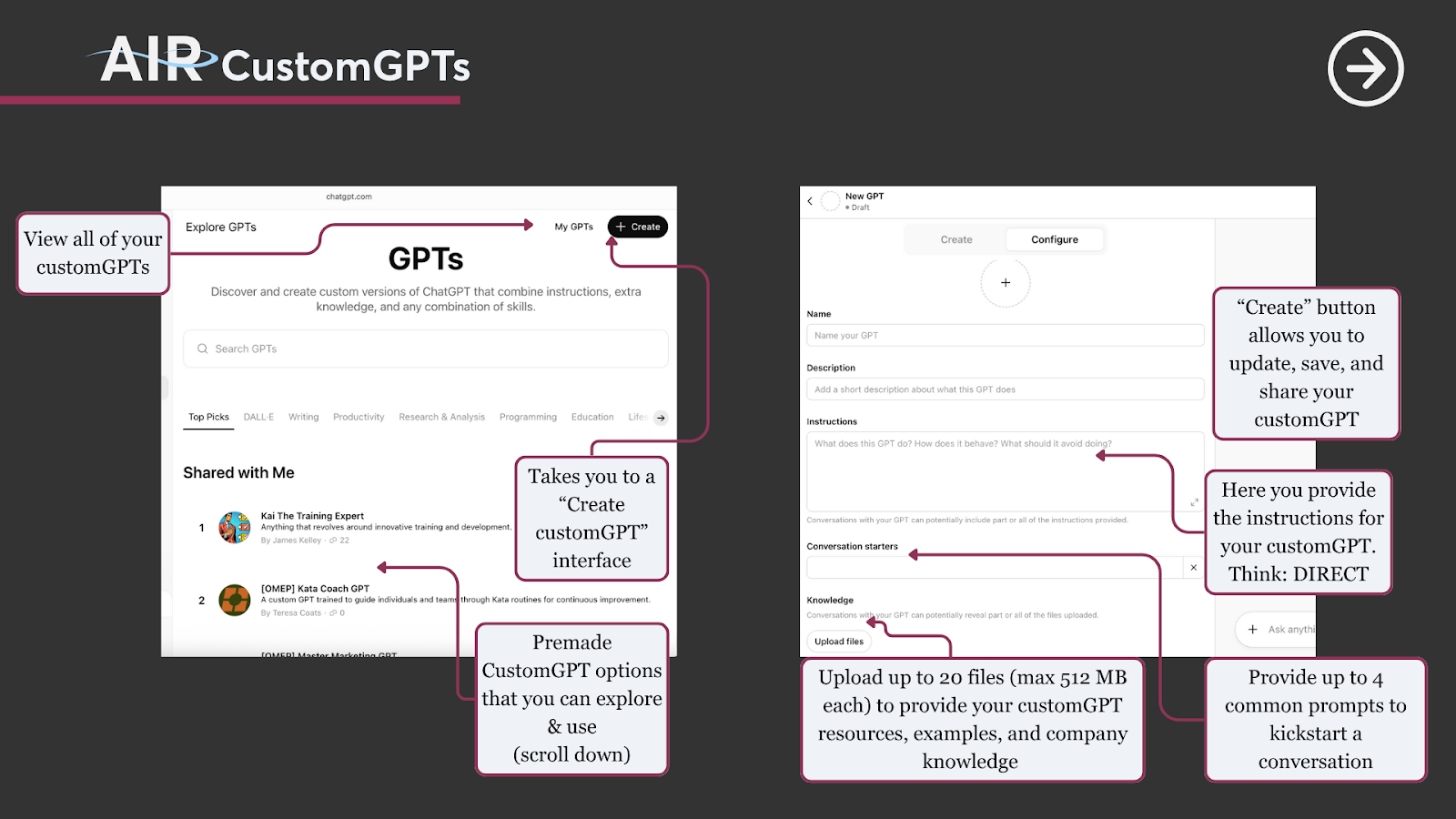
Custom GPTs are reusable, specialized “digital teammates” you design for a specific purpose. Unlike one‑off prompts or ad‑hoc personas inside a single chat, Custom GPTs bundle together instructions, knowledge, and behaviors into a named assistant you can call on anytime, such as “Teacher’s Assistant (TA) Iris.” Custom GPTs are especially useful for work you repeat often and want to perform consistently, at a high level, across many chats and projects.
How to create a customGPT
Prompting Best Practices
A well rounded CustomGPT should contain each of the following elements:
Experiencing slow loading?
Download
the file to view.
Technical Details
Capability limits
You cannot perform deep research or schedule an action from within a customGPT.
Memory
Memory is siloed to the customGPT’s knowledge and instructions.
Sharing
When you share a Custom GPT:
- Others can use it, but cannot edit your original configuration by default. You can give editing ability to specific users.
- Updates you make apply only from that point forward; previously generated outputs do not retroactively change. The updates apply to the shared versions of the customGPT as well.
Actions
Actions allow you to turn your AI assistant into an AI agent that can do things for you in the real world. For example, a customGPT agent that generates and sends information, generates a PDF, and adds that PDF to a drive in Sharepoint.
Comments (0)
Popular

Table Of Contents
Popular
Resource
Apps in ChatGPT
Dive in